Showing posts with label Tips. Show all posts

Sunday, January 1, 2012

I’ve got 30 views for the old post [if you like to see the old post, it’s here] in month of November to December 2011. The problem about the old post was I was quite immature about using the attrib function, thus that method only supported folder with single word names. But as for now, I’ve just mastered the attrib function and would like to make a new post and share it.

Why?
Folders that can’t be change through it’s own properties is known as System folders. Malware creators knew this and take the advantage of this knowledge to spread malware that not only hides your folders but also convert the normal folders into a system folders, because their target was the normal users that doesn’t know how revert the affect.

The malware I’m referring of is the kind that creates shortcut of folders in your USB disk and hides the original folder. Double clicking the shortcut doesn’t open the original folder location but it executes the malware in a batch file that further affects your system.

Solution
You can either view the Tutorial video or read it in procedural order, both is applicable. Watch the video tutorial below or watch it at Youtube here. The procedure is right after the jump, read more to find out.

Video Tutorial

Wednesday, November 23, 2011

Snap_2011.11.23_17h00m12s_002_
Is this familiar to you guys? These ads or link referral are annoying, try having a bunch of links like this:
Snap_2011.11.23_16h59m33s_001_
Crazy huh? Worst thing, you can’t just open all simultaneously, if you do that you’ll have to wait. like this:
Snap_2011.11.23_17h00m43s_003_
I hate this kind of ads (forcefully) and I bet many others feel the same way as well, so I hope this post will enlightened you guys :)
REQUIREMENTSFirefox of any version, I recommended Mozilla Firefox 8 or you can download it here [link]
PROCEDURE1. In order to make this work, you gotta have Greasemonkey add-on, this add-on use user scripts which acts somewhat like javascript. Donwnload it here [link] by clicking “Add to Firefox” button.Snap_2011.11.23_17h01m21s_004_
2. Hit “Allow” when prompted.
vlcsnap-2011-11-23-17h03m35s248
3. When the pop-up box appear, hit install.vlcsnap-2011-11-23-17h07m26s10
4. After finish installing, you’ll be required to restart your browser to take changes, do so. Once you restart, you’ll notice a monkey head icon on the far right corner of the toolbar, if it isn’t there something is wrong.
Snap_2011.11.23_17h09m46s_015_
5. Go to http://userscripts.org/scripts/show/89322 and hit install.Snap_2011.11.23_17h10m31s_016_AdsFight- for Greasemonkey - Mozilla Firefox
6. Hit install when the pop up box appear
Snap_2011.11.23_17h11m24s_017_Greasemonkey Installation

Tada! Test to see if it is working, watch the video to see how it works.

ABOUT
Windows Movie Maker by default export videos in 4:3 or square pixel format, which in some production will make the video looks tight.

An example of 4:3 with black borders:Snap_2011.11.23_17h26m29s_021_

An example of 16:9 or Widescreen:
vlcsnap-2011-11-23-17h30m15s128

PROCEDURE
1. To get it to 16:3 navigate in WMM from Tools > Options
Snap_2011.11.23_17h31m44s_022_

2. In the check box of Aspect Ratio, check 16:9 and hit ok. Everything should be in widescreen mode now.
Snap_2011.11.23_17h33m34s_023_Options

That’s all, have fun Smile

Snap_2011.11.23_17h20m06s_020_A quick tip, Windows 7 doesn’t have Windows Movie Maker built-in regardless of what version you got, nevertheless you can use Windows Movie Maker 2.6 which is for Windows Vista but compatible on Windows 7 as well.

Link to download: http://www.microsoft.com/download/en/details.aspx?id=34
Mirror: http://www.mediafire.com/?26crvabaotjta66

Saturday, November 19, 2011

Yes free, best thing of all UNLIMTIED BANDWIDTH and NO ADS!

Snap_2011.11.18_15h06m46s_001_100- Free VPN by RaptorVPN - Home - Mozilla Firefox

Here is the main page: http://www.raptorvpn.com/whmcs/ 

If you’re technically good at stuff like this, you could just skip this whole post and click the above link because the registration process is pretty straightforward, I too did a bit of exploring and so far never did I encounter any problem

Nevertheless if you’re uncertain and non-literate about this stuff read on…

Wednesday, November 16, 2011

DISCLAIMER I do not encourage software cracking/hacking, please support the purchase of genuine software if you really need it, nevertheless this post is for educational purposes only, I don't encourage such activity.

REQUIREMENTS1. WOAT 3.2 [Download]
2. Any Microsoft 2010 Products [Download link is not provided]

PROCEDUREclip_image001
1. Download WOAT and put it to location that is accessible.
clip_image002
2. Run the application, if prompted by UAC (User Account Control) accept it.
clip_image003
3. At the main screen, hit the letter E to enter OFFICE 2010 VL.

clip_image004
4. Now you're at Office 2010 VL main screen. This step is not necessary but it's better to check your Office Status. Hit the letter A to enter ACTIVATE PRODUCT [OFFICE 2010 VL].
clip_image005
5. Just like above, wait for it to automatically activate Microsoft Office, make sure any Microsoft Office is closed and not open.
clip_image006
6. If successful, it will show something similar like the image above. Hit any key to continue or exit.
clip_image007
7. A text document will be generated automatically at your desktop, keep it for future reference if you want.
clip_image008
8. To determine whether it is successful, launch any Microsoft Office program, navigate to File > Help and check at the corner of the highlighted area in the picture above.
If you encountered or face any problem while applying this crack, please do not hesitate to leave a comment.
DISCLAIMER
I do not encourage software cracking/hacking, please support the purchase of genuine software if you really need it, nevertheless this post is for educational purposes only, I don't encourage such activity.

REQUIREMENTS
1. WOAT 3.2 [Download]
2. Any Microsoft 2010 Products [Download link is not provided]

PROCEDURE
Description: https://blogger.googleusercontent.com/img/b/R29vZ2xl/AVvXsEgaH72gOTr_BnvDgSa39cX8-KcHfZfrKcJ_8AtgXT9G5DVu5-VmAvSflSMWjFskUtCJ48dasMe360tI3-tOtB0Ajoc6EEeMuFWeOCEG6rd_gTr0p1Rmxdzk-Ny60Z_8AdN1H29trJQ9uwY/s1600/Snap_2011.11.16_16h27m58s_005_.png
1. Download WOAT and put it to location that is accessible.

Description: https://blogger.googleusercontent.com/img/b/R29vZ2xl/AVvXsEjQ6NGLj-_W9z9tMpCMyspQWg116mg_BT_nUd1tI57RAEDZhg7-iejTiY9S0u-EKvBtDCTG_M9jXqLf9DG4OKTieZZ0XTWuQ3PpD1iQJghZSn_DwjQi91mxHehVz7VhH1gM-jhcqdqJhw4/s1600/Snap_2011.11.16_16h28m13s_006_User+Account+Control.png
2. Run the application, if prompted by UAC (User Account Control) accept it.

Description: https://blogger.googleusercontent.com/img/b/R29vZ2xl/AVvXsEhB_66mgvcAOBTRuu-2Nz4NPmtTv0qR-ePv6OgAymWgBAf9DkiO5nOTTjn0zxU0VisN45_qFbFZf1_ySVu6GelfHjs7HvNUI0PuuZGtK8WF037Yqz737xWlOExYlVSakutcnKNq8o2UX0I/s1600/Snap_2011.11.16_16h28m29s_007_Administrator-++WOAT+v3-2+OEM-KMS+ACTIVATOR+-+BY-+DARKOR+HELLRUINS.png
3. At the main screen, hit the letter E to enter OFFICE 2010 VL.

Description: https://blogger.googleusercontent.com/img/b/R29vZ2xl/AVvXsEh7FIuDZajzM79vRRUBWJM1i68fHYOQ215hrUdcVRAplD1jM6HyGvYzLHU_6a8hAoGCe3pXgiDu3tLWgTbJ-hiaXDphF5iSSAlrScSmvfs4h_4yM_vhn0kFJue-JDqXG4RW0-g8kK7x0nI/s1600/Snap_2011.11.16_16h28m39s_008_Administrator-++WOAT+v3-2+OEM-KMS+ACTIVATOR.png
4. Now you're at Office 2010 VL main screen. This step is not necessary but it's better to check your Office Status. Hit the letter A to enter ACTIVATE PRODUCT [OFFICE 2010 VL].

Description: https://blogger.googleusercontent.com/img/b/R29vZ2xl/AVvXsEiEJc_narTOVKCPVhVxrWx0MCwRgMvbo6rKQD7deYoMOs-2ecb-sUlDIdDwmZUv5SdjOCa6HjbGHzG-zkp77HbO1KkVAfyiJBQeWAqvsp0WdI1o7blhvmLJRjLuHzUYatsV4G8qQZ2KolU/s1600/Snap_2011.11.16_16h29m13s_010_Administrator-++WOAT+v3-2+OEM-KMS+ACTIVATOR.png
5. Just like above, wait for it to automatically activate Microsoft Office, make sure any Microsoft Office is closed and not open.

Description: https://blogger.googleusercontent.com/img/b/R29vZ2xl/AVvXsEg2zEYeibNZbjva0RTePzUrIMKoIGPPZyNscVf6Mp9enMDiVn5Y7uwR5d107OE3DaseTs5wVL5N59RPLr2sWYl3j8wJKHkNlhyphenhyphenJbVrp6wrsPE8eEe6ovnRFyvCqo50PwQ-4mbTc2ZWBrgk/s1600/Snap_2011.11.16_16h29m32s_012_Administrator-++WOAT+v3-2+OEM-KMS+ACTIVATOR.png
6. If successful, it will show something similar like the image above. Hit any key to continue or exit.

Description: https://blogger.googleusercontent.com/img/b/R29vZ2xl/AVvXsEhhBDUhE0_ogVp9ssAa2R-f6XZ8ZXrTnZSZN3h8RVD4kluy6FFAQajodB5Cixxyywc20JshSazYvMW_lyqVLljqCbaVLh7rkzw32k6PrLWGUxANTgrSLVcnr-TjuUNZDsaJNPiz9f3rSSc/s1600/Snap_2011.11.16_16h31m29s_004_.png
7. A text document will be generated automatically at your desktop, keep it for future reference if you want.

Description: https://blogger.googleusercontent.com/img/b/R29vZ2xl/AVvXsEiWeEPWSKOS14B2rYdJ2r9Exw_Hhc89iuJkLK3oP6lvoUmM7DquVCmXHry8202u4pAB19i92Pv3L28cPTJFWdjr8mPJj8ynd2B4vvBuzhx83wQZRIp6A119v63fBHx7C0ViFPA06-EJlug/s1600/Snap_2011.11.16_16h50m10s_002_.png
8. To determine whether it is successful, launch any Microsoft Office program, navigate to File>Help and check at the corner of the highlighted area in the picture above.

If you encountered or face any problem while applying this crack, please do not hesitate to leave a comment.

Wednesday, November 9, 2011

There's two software I'm gonna briefly introduce, this is not a suite where all the drivers are stored so you need an internet connection to search and download the drivers manually, this is only beneficial if you're not sure what you're drivers are and unsure where to find the latest up-to-date version of it.

1. Device Doctor

 Download link here [link] or visit the main homepage here [link]

2. Slim Drivers
Download link here [link] or visit the main homepage here [link]

Friday, October 28, 2011

INTRODUCTION
Almost everyone is using this download manager, most probably quite a few is scratching their head, trying to figure how to get this software to crack.

The only reason why I wrote this was because IDM has a new update si I decided to take the opportunity to take the steps written down. This is a long post, so please bear with me.

STUFF YOU'LL NEED
1. Patch
2. Keygen
3. Installer 

THIS IS FOR PEOPLE IN THESE SITUATION AS BELOW:
  • You have an existing cracked IDM but unsure how to get the latest version without messing up.
  • You are still within the trial period and want to update.
  • You have just ended you trial period and can't open it.
  • You tried to crack somehow you get fake serial key notification.
  • Just trying out IDM.
METHOD 1: CLEAN INSTALLATION
New installation
1. Download the installer it from the link given about
2. Install it.
3. Close IDM through Task Manager
4. Patch it using the patch provided
5. Generate a serial key using Keygen and copy it.
6. Launch IDM and go the menu bar and navigate to “Registration” and “Register”
7. Fill in a dummy name and email address and put in the serial key and hit register.
8. Done

METHOD 2: UPDATE
Only if you have existing IDM installation and it’s accessible.
1. Launch IDM
2. Get to the menu "Help" and to press "Check for Update"
3. At the pop-up box, press the "Update" button.
4. Update will start to download soon, leave it.
5. If you're using Windows Vista and Seven, a UAC prompt will ask you to continue, accept. 
6. Proceed to installation
7. You will get this box if you update from a previous cracked version. Don't worry
8. Run patch, and accept the permission pop up [See Stuff You Need for download links] 
9. Click Patch
10. Done

METHOD 3: PATCH
You have existing IDM but it's outdated or expired
1. Open up the patch and patch it
2. Open Keygen and generate serial
3. Open up IDM
4. If it ask you to register, enter a dummy email, name and the generated serial key, hit register
5. Done

If you have any question regarding this, please ask or comment me at Facebook or here.

Saturday, October 15, 2011


As the tagline puts it, this is a customization add-on for Firefox, (Version 4 and above) it perhaps if not all can do various customization, from the address bar, to buttons, to tabs, colors and so on.

Here's the link to download [Link]

Step 1: Installation Process
Open up the page at the link given. Click "Continue to download" and "Accept and Install". Later you'll prompted to allow it to be installed on your Firefox, click allow. Now there will be a box pop-out confirming your action, once again allow it to install. Restart your Firefox (Close an re-open, duh =.=!)

Step 2: Customization
Once restart you should notice a new button situated at the far right corner of your Firefox toolbar.
Click it and start customizing, I won't really explain what options does what, it's all up to you to explore and see for yourself what options effects which part of interface, since it's realtime edit-to-preview.

Example of Mine:

Friday, October 14, 2011

Step 1: Run Command Prompt as an Administrator
Hit the start button, type in "cmd.exe" in the search box, right click cmd.exe and click "Run as Administrator" Accept when prompted at the UAC pop up.Soon after Command Prompt Window will show up.

Step 2: Check User Name
*If you know the user name you want to change/remove password then skip this step
Type in: "net user". This will show available users, in the screenshot it's Othniel that I want to change/remove.

 Step 3: Change or Reset Password
Now I'm going to remove password for Othniel, so in order to do that do the following.
Format: net user [username] *
So it's: net user Othniel *

Now it request you to type a password, so you can create a new password if you want, but for this post, I'll remove it, to do that, leave it blank and press enter, when it ask to retype to confirm press enter again.

Annnd end of post, have fun trying it out, comment if you do not understand :D

Tuesday, August 23, 2011

This post is written for my friend "Chong Vui Khim" Click on the pictures to see at a larger resolution.

Users are also the email users, such as Jade = jade@fastbid.com.my

 1. Unlock your screen and go to your desktop

2. Navigate to System > Administration > Users and Groups


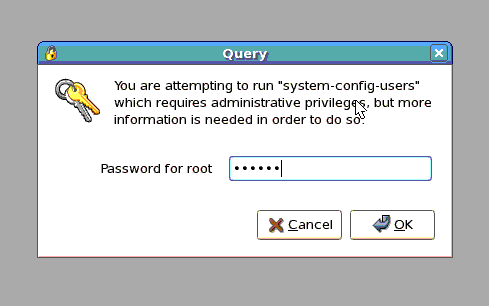
3. You'll be prompt to enter the Root password.


4.Hit the "Add User" button.


5. Fill in the following.

Monday, August 15, 2011

This tool will enable you to collect saved password from facebook, hotmail, gmail and others by retrieving it from your browser cache.


1. Download it here:
http://dl.dropbox.com/u/17029922/WebPass/webbrowserpassview.zip

2. Open it up (7zip, winrar or whatsover)

3. Extract it to anywhere you desire:

4. Right click and run it as administrator

5. It will automatically collect all your password from various browsers.

6. Have fun snooping people data :)